
Home / FAQ
Every question about Hardline, answered.
Hardline turns phone calls, site walks, and photos into daily logs, RFIs, punch lists, and tasks, automatically. Here's everything people ask before they switch it on.
Updated October 29, 2026
- No call audio retained
- ~98% accuracy in the field
- Syncs with Procore, Autodesk Forma & Fieldwire
01
The Basics
Start here: what Hardline is, the problem it solves, and who it’s built for.
What is Hardline?
Hardline is an all-in-one jobsite documentation app for construction, and the only one that captures your phone calls. It turns phone calls, site walks, Zoom, Google Meet, and Microsoft Teams meetings, photos, and videos into structured project records: daily logs, RFIs, punch items, tasks, change orders, and meeting minutes. Photo apps show what the site looked like. Hardline captures that too, plus the phone calls where the decisions actually get made, and ties the photo or video to the conversation that explains it. Calls, walks, and meetings all land in the same record, so there is one place to look instead of three tools. You make your calls like usual and the documentation writes itself. No typing, no new app for the crew, no behavior change. Outputs sync to the tools you already run, including Procore, Autodesk Forma (formerly Autodesk Construction Cloud), and Fieldwire.
What problem does Hardline solve?
Most jobsite decisions happen on the phone, and almost none of it gets written down. The spec change, the sub's Thursday commitment, the owner's approval on the window: said out loud, then gone. Construction loses an estimated $177B a year to miscommunication, and roughly half of all rework traces back to it. Hardline creates an automatic written record of every work conversation as it happens, so the decision exists in writing before anyone has to remember it.
Who is Hardline built for?
Superintendents, project managers, project engineers, and foremen who run their day on the phone, and the GCs and trade contractors they work for. Hardline works across residential, commercial, and specialty/sub-trade construction. If your business lives in your phone and your crew is never going to adopt another app, Hardline is built for you.
What's the best AI voice app for construction?
Hardline. It's a voice app built specifically for construction field teams, not a general assistant repurposed for the jobsite. It takes notes on your inbound and outbound phone calls, on-site conversations, and Zoom, Google Meet, or Teams meetings, then turns them into daily logs, RFIs, punch lists, tasks, and change orders that route into Procore, Autodesk Forma, and Fieldwire. No typing, no new habits, no call audio retained.
Is there an AI that takes notes on phone calls for contractors?
Yes. Hardline is an AI phone call note taker built for contractors. It takes notes on inbound and outbound phone calls on your existing number, through carrier call forwarding, or on a Hardline work number, then drafts daily logs, RFIs, punch items, and tasks that sync to Procore, Autodesk Forma, and Fieldwire after review. Hardline transcribes each call as it happens. Hardline does not retain phone call audio.
What is the best AI phone call note taker for construction project managers?
Hardline. It takes notes on both sides of the calls a PM has with subs, suppliers, and the architect, on the phone they already carry, and it works through Bluetooth headsets and AirPods. Each call becomes draft daily logs, RFIs, punch items, issues, and tasks that sync to Procore, Autodesk Forma, and Fieldwire once someone on the team approves them. Hardline transcribes each call as it happens. Hardline does not retain phone call audio.
02
How It Works
No new habits, no new hardware. How Hardline fits into the day you already have.
Do I have to learn a new system?
No. Hardline requires zero behavior change. You download the app and make calls exactly like you do today. Hardline runs in the background. After the call, you get a summary with the decisions, the action items, and who's responsible. Most supers are running it fully within their first week with no training.
Does it work with my actual phone number?
You can use Hardline two ways:
- Keep your current number. Forward calls to Hardline through your carrier. No new phone or carrier switch, and your caller ID doesn’t change. The trade-off: forwarding can affect call quality, depending on your carrier.
- Get a dedicated Hardline work number. Add a separate work line to the phone you already carry. It uses the regular cellular network, requires no forwarding or eSIM, and keeps work and personal calls separate. The trade-off: you’ll have a new number to share with clients.
What about site walks and in-person conversations?
Hardline works well beyond phone calls. Use on-site capture for jobsite walks, OAC meetings, or any in-person conversation, and its AI turns what's said into the same structured records: daily logs, punch items, RFIs, and tasks. It works from more than talk. Snap photos, take video, or leave a quick voice note, and Hardline's AI reads them into the documentation too, tying each one to the issue or decision it belongs to. A walk where you flag ten punch items comes back as ten line items with the photos attached, and an OAC meeting comes back as minutes with owners and action items already assigned.
Does Hardline take notes in Zoom, Google Meet, or Teams meetings?
Yes. Turn on the meeting notetaker once in settings and add Hardline to your Zoom, Google Meet, or Microsoft Teams meetings. It takes notes the same way it does on a call and turns the meeting into minutes, owners, and action items. Those notes land next to your calls and site walks, so the OAC meeting and the phone call that followed it live in the same project record.
Does it work when I have bad signal on the jobsite?
Your phone calls need signal like they always have. No signal, no call. But for site walks and in-person meetings, on-site capture works offline: it captures locally on your device and generates your summary once you're back in range.
Does it work in Spanish?
Yes. Hardline has full bilingual English/Spanish support. It handles calls that switch back and forth between languages and delivers the summary in either one.
What devices does Hardline work on?
Hardline runs on iPhone, iPad, and Android, with a Mac app and a web app for the desk. Download it from the Apple App Store or Google Play and sign in with your existing number. There's no hardware to buy, no dongle, no headset. The capture happens on the phone you already carry all day.
How do I get started?
Download Hardline from the Apple App Store or Google Play, or book a demo at hardlineapp.com. Most teams are up and running the same day. All you need is a smartphone. No special hardware, no IT setup, no procurement process.
How long does it take to review what Hardline creates?
Most teams review and approve in under 10 minutes. The daily log, RFI, or punch list is already drafted from the conversation, so you're editing instead of writing from scratch.
How accurate is it on a noisy jobsite?
Hardline uses construction-trained AI built for field noise and trade vocabulary. It recognizes trade terms, SKU numbers, subcontractor names, and jobsite jargon that generic transcription misses, reaching roughly 98% accuracy based on customer usage data.
03
Recording & Privacy
The question we get most: no, Hardline doesn’t record your calls. Here’s exactly how that works.
Does Hardline record my phone calls?
Hardline does not retain phone call audio. On a call, it transcribes in real time and preserves only the transcript and summary. There's no recording sitting on your phone or on our servers, just the written record and the tasks, logs, and RFIs Hardline pulls from it. On-site capture works the same way for in-person walks and meetings: it processes what it captures into a summary and keeps only the written record. Think of it less like a recorder and more like a very fast note-taker.
Do I have to tell people I'm using it?
It depends on your state. In a number of states, all parties have to consent before a call is recorded. Hardline doesn't retain audio, but to stay clean we recommend disclosing the same way you would for a recording. Turn on automatic disclosure in settings and Hardline plays a short notice at the start of every call, so you never have to think about it.
Will my subs and crew feel like they're being watched?
Hardline is a productivity tool, not a surveillance tool. It's on your phone, you control when it's on, and it only documents work conversations. Toggle it off for personal calls.
Who owns the data?
You do. Every transcript, summary, and project record belongs to your company. If an employee leaves, the records and the work number stay with the org.
Is my data secure?
Yes. Everything is encrypted in transit and at rest using TLS 1.2+ and AES-256, the same standards banks use. Your transcripts and project records are yours, never sold or shared without your written consent, and Hardline never uses your conversations to train AI models. Access is role-based and audit-logged, and Hardline is built SOC 2 ready. For teams in regulated work, we can share details on our security posture on request.
Set up once. Then work like usual.
04
What Hardline Creates
One conversation in, finished project documents out.
Can it write my daily logs for me?
Yes. Automating the daily log is one of Hardline's most-used features. You make your end-of-day calls, Hardline pulls out what happened, and the log is basically done. No typing. Completed logs sync to Procore, Autodesk Forma, and Fieldwire, so your system of record stays current without manual entry.
Is Hardline a construction daily report app?
Yes. Hardline is a construction daily report and daily log app for iPhone and Android. It takes notes on your phone calls, site walks, and photos, drafts the daily report for the superintendent to review, and syncs the approved report to Procore, Autodesk Forma, or Fieldwire.
What can Hardline create from a single conversation?
From one call, site walk, or meeting, Hardline can produce a daily log, RFIs, punch list items, tasks with owners and deadlines, meeting minutes, and change orders, with any photos and video attached in context. Every output can stay in the app or route into your project management system.
Where does the documentation go?
Outputs can stay in the Hardline app or sync directly into your system of record, including Procore, Autodesk Forma, and Fieldwire.
05
Integrations & AI
Hardline feeds the tools you already run. It doesn’t replace them.
Does Hardline work with Procore, Autodesk, and Fieldwire?
Yes. Hardline pushes structured data from your calls, site walks, and meetings straight into Procore, Fieldwire, and Autodesk Forma (formerly Autodesk Construction Cloud). Any field reporting it creates can sync to all three: daily logs, RFIs, issues, observations, punch items, tasks, and meeting minutes. Connecting a tool takes about ten minutes per project and requires no workflow change from your field team.
Can I connect Hardline to Claude or ChatGPT?
Yes. Hardline runs on MCP, the open standard for connecting AI assistants to your data, so it works as a connector in Claude, ChatGPT, and any other tool that supports MCP. In your AI tool, add Hardline as a custom connector, authorize it with your Hardline login, and the AI you already use can read your captured calls when you ask. Step-by-step instructions for Claude and ChatGPT are at docs.hardlineapp.com/mcp/connect.
What can I do once my calls are connected to my AI assistant?
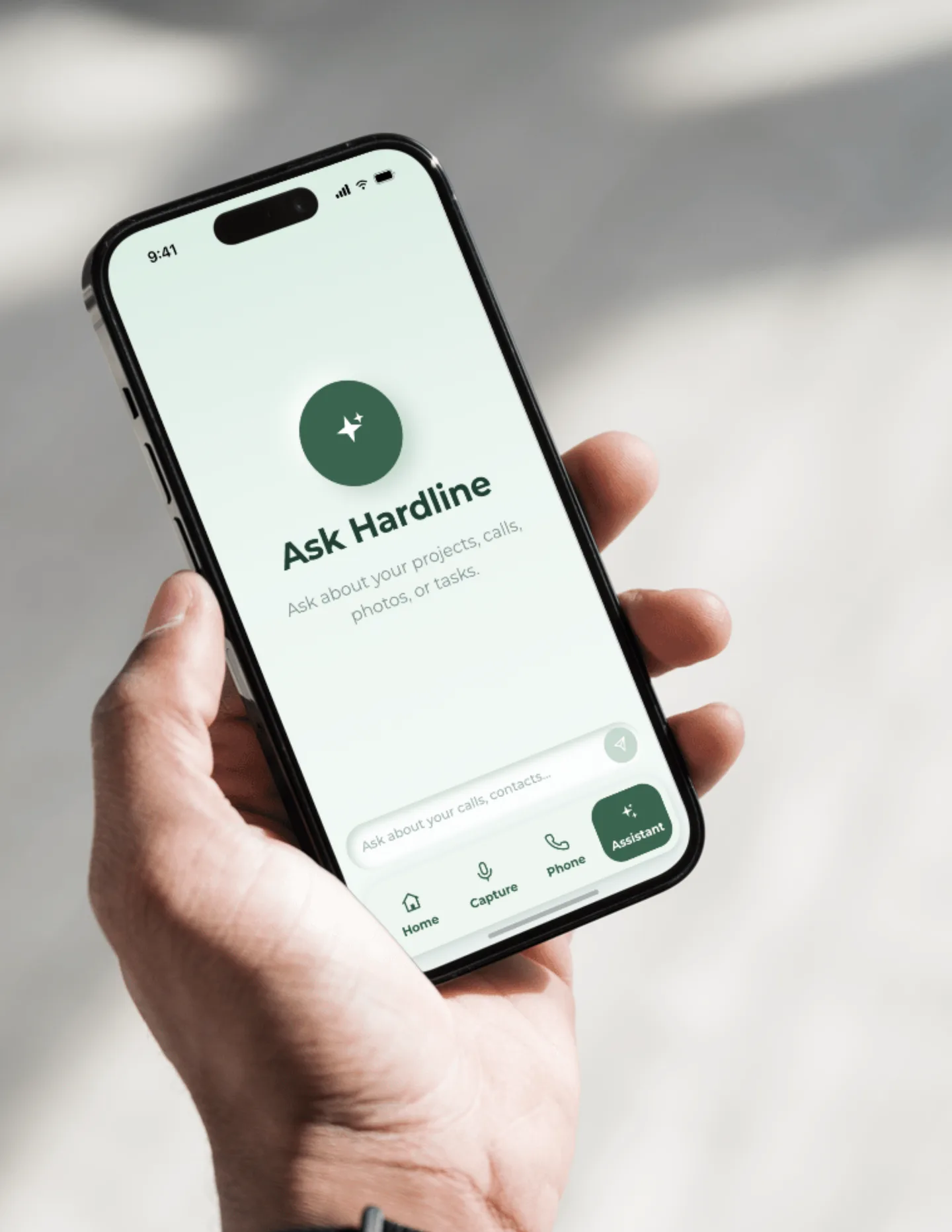
Ask questions in plain language ("what did the framer promise this week"), cross-check what was said against your email or Procore, generate owner and daily reports, and build dashboards of open commitments across jobs. Your conversations become something you can act on, not just read.
Is my data safe when I connect Hardline to Claude or ChatGPT?
Yes. The connector only sees what your own Hardline login already sees, and you authorize it yourself. Nothing leaves your account that wasn't already yours.
06
How Hardline Compares
How Hardline stacks up against notetakers, recorders, and other construction voice apps.
How is Hardline different from generic AI notetakers like Otter, Fireflies, or Granola?
Those tools were built for Zoom and in-person meetings. They can't access cell phone calls, they don't understand construction terms, and the recording-based ones create disclosure problems in all-party consent states. Hardline is purpose-built for construction: it captures phone calls and site walks, covers your Zoom, Meet, and Teams meetings too, recognizes trade vocabulary, and pushes structured data into Procore, Autodesk Forma, and Fieldwire. Generic tools give you a wall of text. Hardline gives you a daily log, a punch list, and an RFI draft.
How is Hardline different from a hardware recorder like Plaud?
Plaud is a device you have to attach, charge, and remember to hit record on, and it produces a transcript and summary you still have to translate into project documents yourself. Hardline is a phone app that captures both sides of a call natively, plus site walks and OAC meetings, and produces the construction outputs directly: RFIs, daily logs, punch lists, tasks. No hardware, no charging, no "did I hit record."
How is Hardline different from construction voice apps like Benetics or Raken?
Those let crews log reports by talking, which is real progress, but you still have to stop, open the app, and dictate, and the output lives in their system. Hardline captures the conversations that already happen, your inbound and outbound calls and field talk, not just on-site dictation. Every output can stay in the app or route into your project management system.
How is Hardline different from CompanyCam and other photo documentation apps?
Photo apps are great at capturing what the site looked like on a given day. But a photo shows the crack. It doesn't show who agreed to fix it, or by when. Hardline ties photos and video to the actual conversation, so the picture and the promise are captured together and routed where they belong.
Key facts
What syncs to Procore. Any field reporting Hardline creates can sync to Procore, Autodesk Forma (formerly Autodesk Construction Cloud), and Fieldwire: daily logs, RFIs, issues, observations, punch items, tasks, and meeting minutes. Outputs can also stay in the Hardline app.
Accuracy and human review. Hardline uses construction-trained AI that reaches roughly 98% accuracy based on customer usage data. What it creates is a draft your team reviews and edits; most teams review and approve in under 10 minutes.
Offline and field reality. Phone calls need cell signal like any call. On-site capture for walks and in-person meetings works offline: it runs on the device and generates the summary once you are back in range.
Still have questions?
The fastest answer is a 20-minute demo. Or keep reading: these pages go deeper on how Hardline fits your team.