
The construction daily report app that writes the report for you
Hardline is a construction daily report and daily log app for superintendents and PMs. It captures jobsite phone calls, site walks, and photos, drafts the daily report automatically, and syncs it to Procore, Autodesk Forma, or Fieldwire after review. Hardline does not retain phone call audio.


Daily reports from the calls you already make
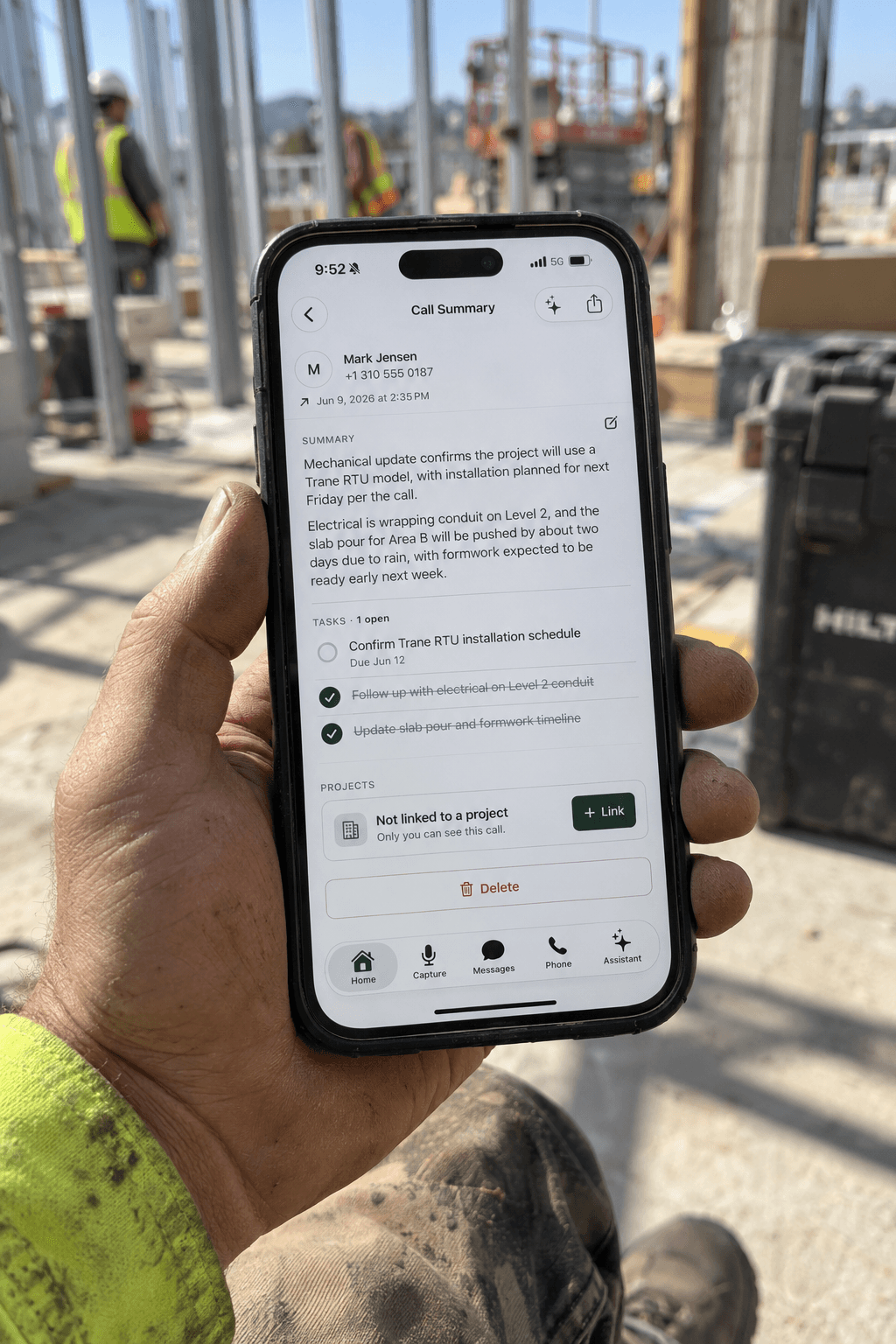
Supers run the job on the phone. Hardline takes notes on native phone calls, inbound and outbound, on your existing number or a Hardline work number, and turns what was decided into daily log entries, RFIs, and tasks.
The supplier’s new delivery time goes in the log.
The architect’s answer becomes an RFI draft.
The sub’s commitment becomes a task with an owner.
The call is transcribed and the audio is discarded.
Capture the site walk on your phone
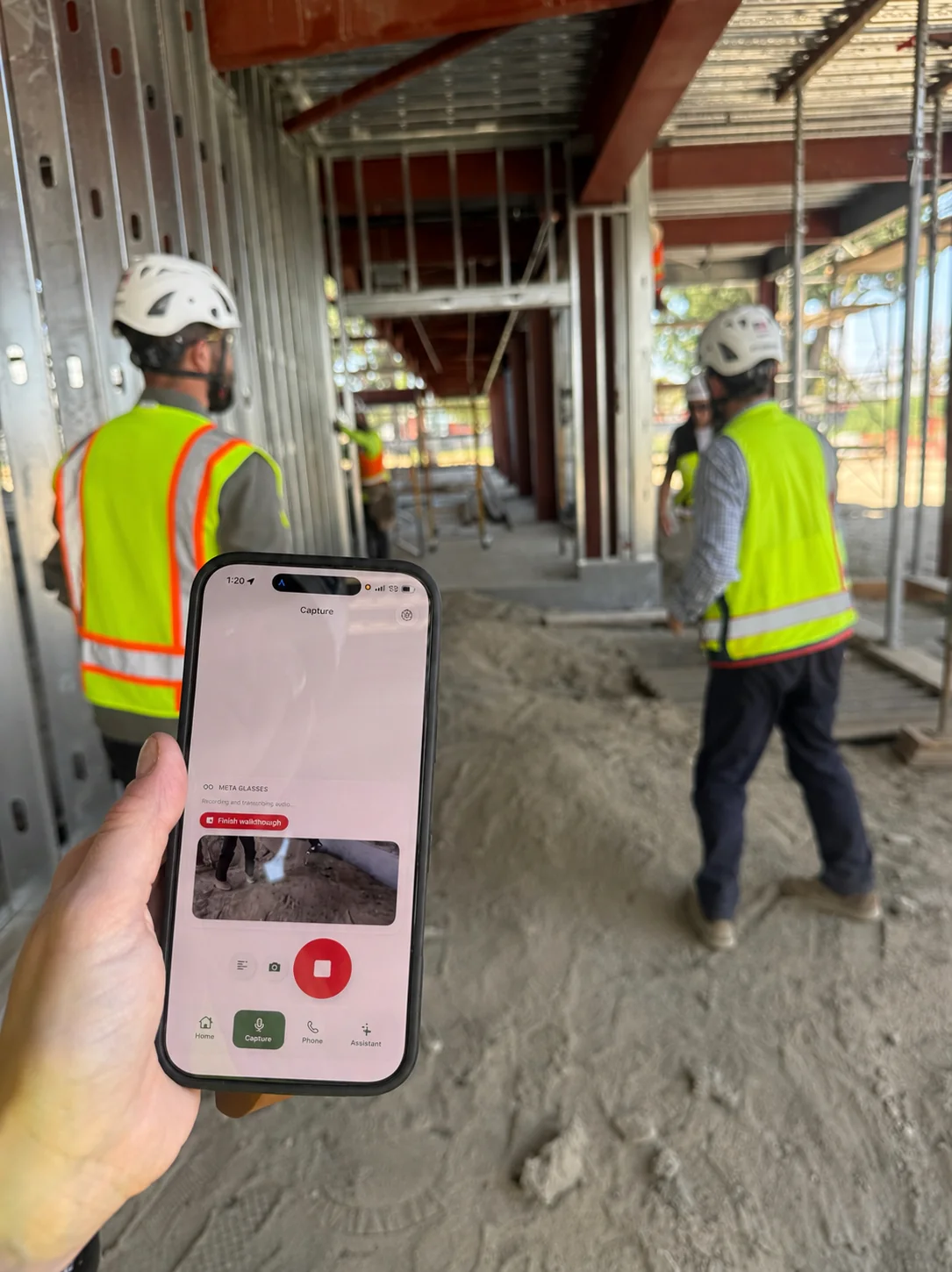
One tap starts on-site capture for a walkthrough, a toolbox talk, or an OAC meeting. Talk through what you see and take photos as you go. Hardline turns it into daily log entries, with each photo attached to the item it belongs to.
On-site capture works offline and processes when you reconnect.
Phone calls need signal, like any call.
Review in a minute, then sync
Nothing goes on the record until the superintendent says so. Read the draft, fix what’s wrong, fill in what’s missing, and approve. The approved daily report syncs to Procore, Autodesk Forma, or Fieldwire, or stays in Hardline.
Set up once. Then work like usual.
Works on Android and iPhone
Hardline runs on the phone your super already carries, iPhone or Android. No new hardware, no headset, nothing extra to charge.
What goes in every daily report
Hardline drafts each section from what was said and photographed that day. Anything nobody mentioned stays blank for the superintendent to fill in at review.
- Weather
- Conditions on site and any impact on the work.
- Manpower
- Who was on site, by company.
- Work completed
- What got done, and where.
- Delays
- What held the work up, and why.
- Verbal approvals
- Who said yes, and on which call, until it is in writing.
- Visitors
- Inspectors, owner’s reps, and anyone else who came through.
- Safety
- Observations, toolbox talks, and incidents.
Questions supers ask
What is the best construction daily report app?
It depends on where your day’s information comes from. If your crews fill out a form every day, a form-based app like Raken or the Procore daily log tool gives you a consistent structure. If your decisions get made on phone calls and site walks, Hardline drafts the daily report from those conversations for the superintendent to review, then syncs it to Procore, Autodesk Forma, or Fieldwire.
Is there a free construction daily report app?
Yes. Hardline is free to start. Download it from the App Store or Google Play, or sign up for the web app, and it starts drafting daily reports from your calls, site walks, and photos.
What is the best daily report app for superintendents?
For superintendents who run the job on the phone, Hardline. It drafts the daily report from the calls, site walks, and photos a super already has, so the end of the day is a review instead of a blank form. It runs on iPhone and Android, with no new hardware.
Does the daily log app work on Android and iPhone?
Yes. Hardline runs on iPhone and Android. Download it from the App Store or Google Play; there is no hardware to buy. There is also a Mac app and a web app for the desk.
Does Hardline record and store phone calls?
No. Hardline does not retain phone call audio. It transcribes the call, discards the audio, and keeps only the transcript, summary, and project records.
Does it sync daily logs to Procore?
Yes. Once the superintendent reviews and approves the daily log, it syncs to Procore. Hardline also syncs to Autodesk Forma and Fieldwire, along with RFIs and tasks.