New in Hardline: October | 2026
Keep job conversations, field notes and company contacts connected to the work.
On this page
To our clients, and everyone taking a look at Hardline, here’s what’s new!
This month’s updates make it easier to keep your team in the loop, catch up on what happened on a job, and keep work conversations separate from your personal ones.
That means meeting notes and field conversations together by project, more ways to share context with the people who need it, and a virtual work line on the phone you already carry.
We’ll walk you through each below. Thank you to everyone using Hardline and telling us what would make it more useful on your jobs. Keep the feedback coming!
Alena & Karly
In this update:
- A note taker for the meeting, the site walk and the call
- Shared projects, whatever tools you’re using
- A work phone on the phone you already carry
- Photos and videos that explain what happened
A note taker for the meeting, the site walk and the call
A project conversation rarely stays in one place. You discuss an issue in the coordination meeting, look at it with the foreman during a walk, then call the sub to agree on the next step.
Hardline now supports virtual meetings alongside in-person meetings, onsite conversations and phone calls. Notes can be organized by project, so those separate conversations have a place together.
For virtual meetings, connect your calendar or add a meeting link. Hardline’s meeting bot joins to take notes. The meeting can then sit alongside the conversations that happen after everyone leaves the call.
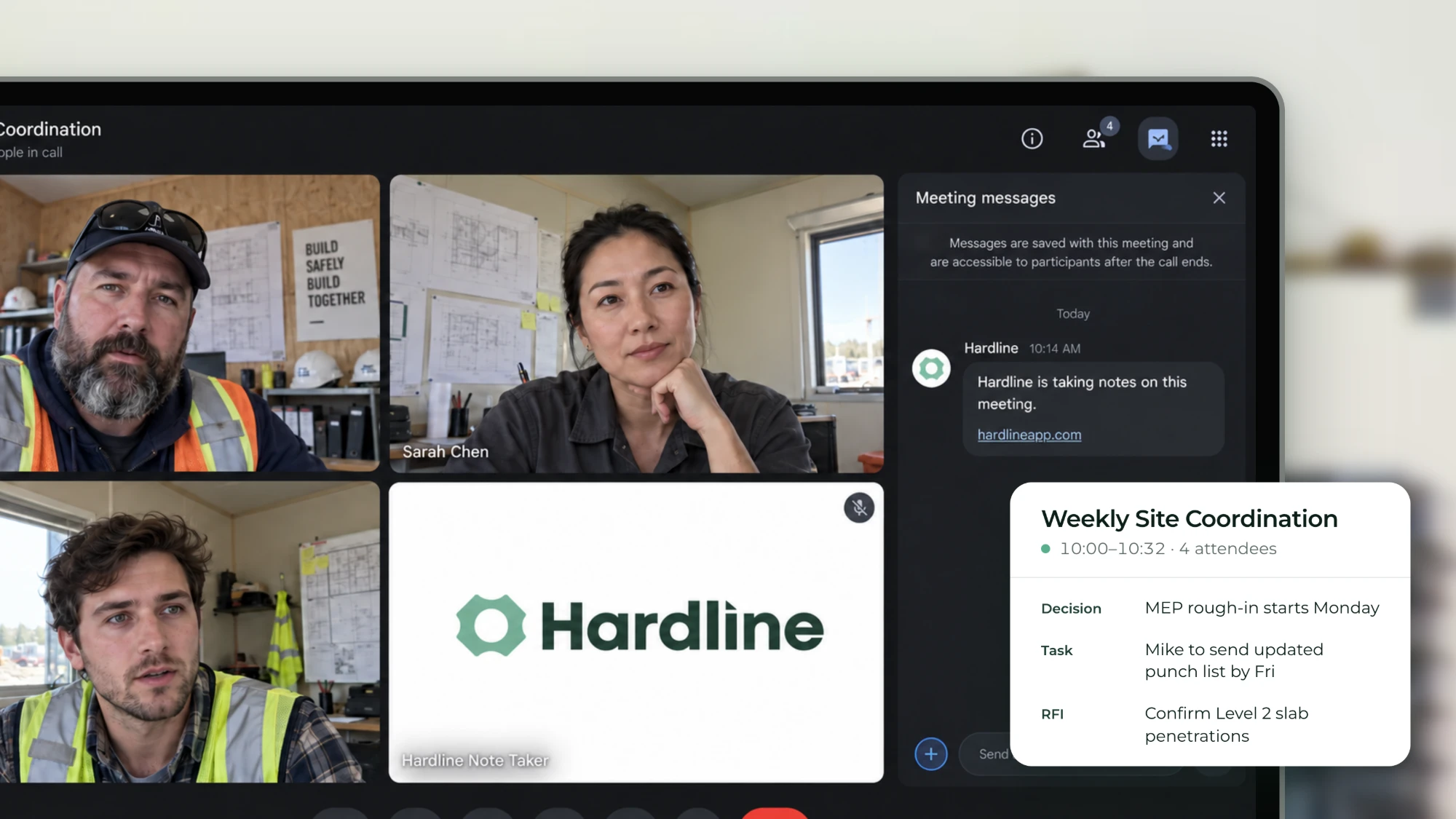
For the PM catching up later, that means being able to review the meeting and the follow-up in the context of the same job.
Shared projects, whatever tools you’re using
Some jobs in Procore, some in ACC, some in Excel? You can create a project in Hardline and invite the people working on it, whatever the rest of that project’s software setup looks like.
Choose which meeting notes, site notes, photos and relevant calls to share. The team can access that shared context in real time and catch up without calling three other people first.
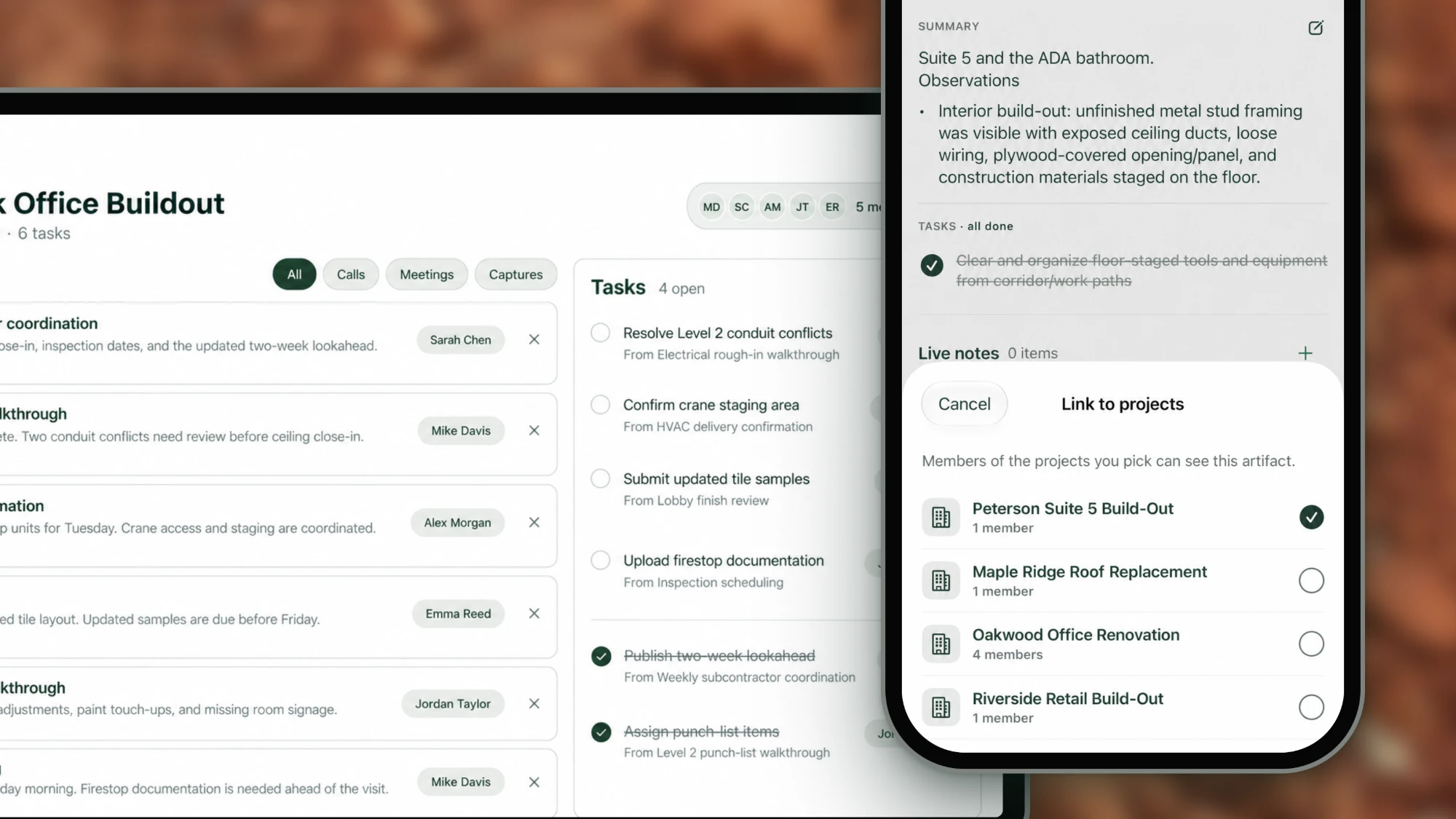
For jobs in Procore or Fieldwire, you can also link your Hardline project to the corresponding project there.
Review and sharing are easier from your desk, too. Read transcripts, edit your notes from your desktop and privately share individual records with the people who need them. You decide which records become shared context for the team.
A work phone on the phone you already carry
When supers and PMs use personal phones for work, company contacts and project conversations can end up tied to one person’s device. That becomes especially relevant when someone moves between jobs or leaves the team.
Hardline now supports a virtual work phone for calls and messaging on the phone you already carry. Company contacts and work communication history stay with the business, giving teams a way to keep that context connected to their work.
Users still choose which calls and conversations to capture and share with the project team. A work phone keeps business communications together while shared project records let people catch up on the parts relevant to their job.
Photos and videos that explain what happened
Sometimes a note needs a picture. The PM who wasn’t on the walk needs to see the exact location, issue or detail you’re talking about.
Capture site photos and videos, and mark up photos alongside your notes. A marked-up photo can point to the condition being discussed, while the note explains the conversation around it.
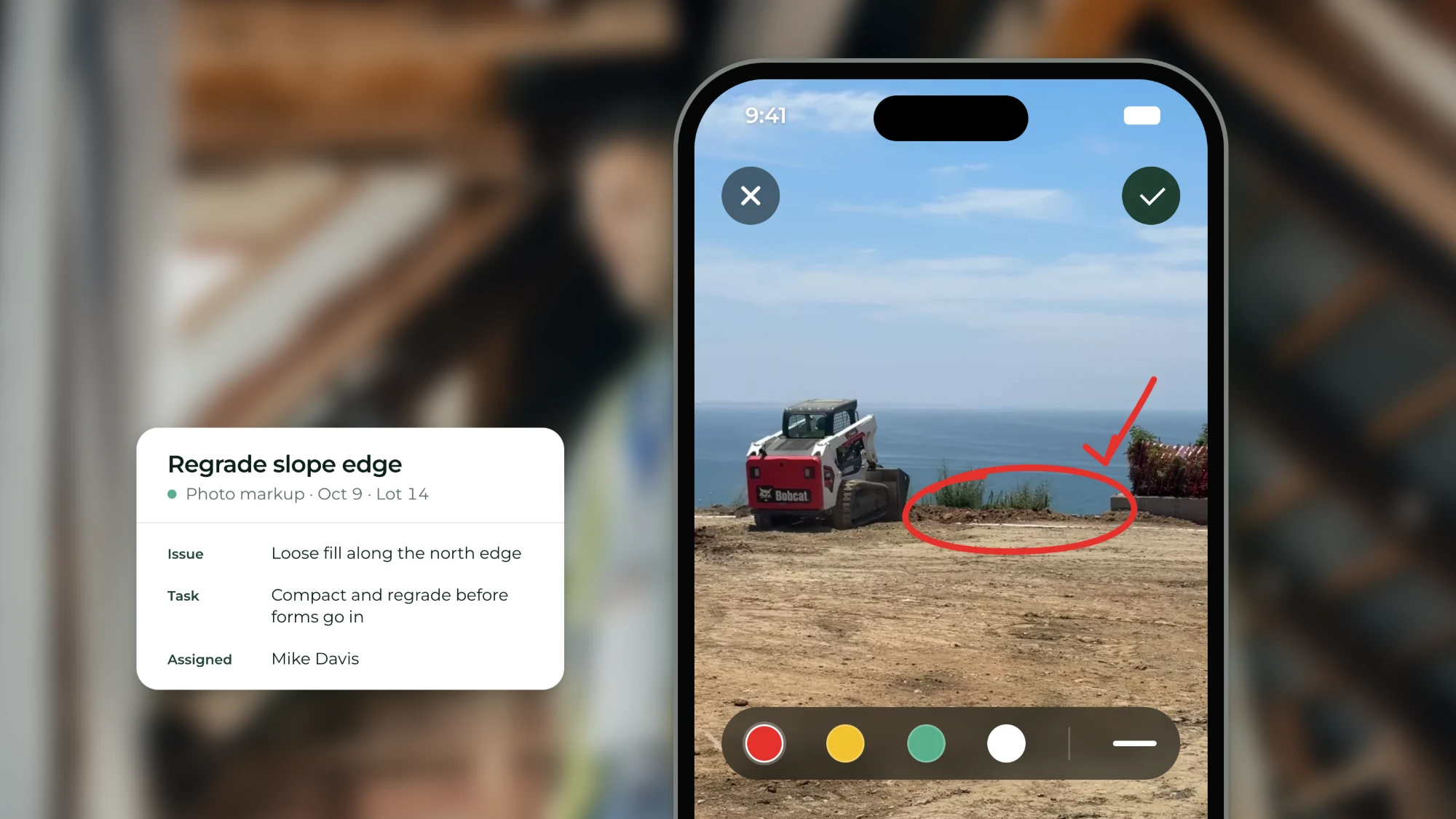
Together, they give someone who wasn’t there more context to work from, whether they’re reviewing the issue at their desk or catching up before the next meeting.
Until next month
A lot gets decided between the meeting, the site walk and the drive to the next job. These updates make it easier to keep that context with the project and get it back to the people doing the work.
If you haven’t opened Hardline in a while, take another look. Want to try it on your next job? Reach out to Alena.
Alena Tuttle
Ready to capture every conversation?
Hardline turns your calls and site conversations into daily logs, RFIs, tasks, and more, automatically.